Personalized Teacher Door Hanger SVG: Creating a Retro Masterpiece Without the Common Pitfalls
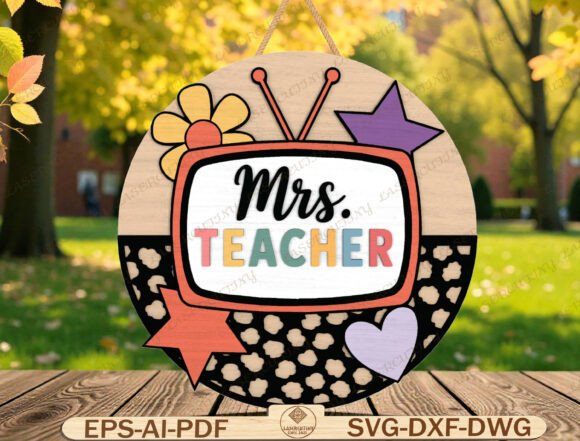
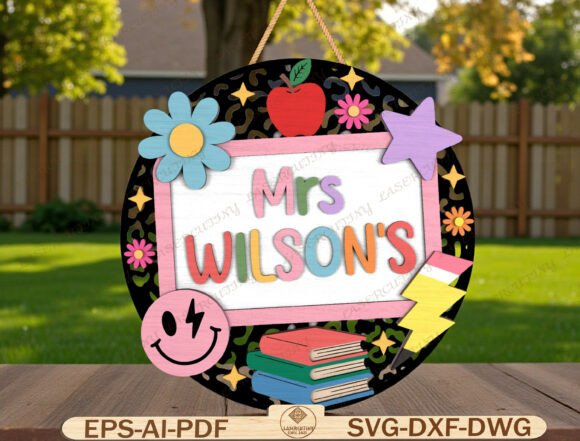
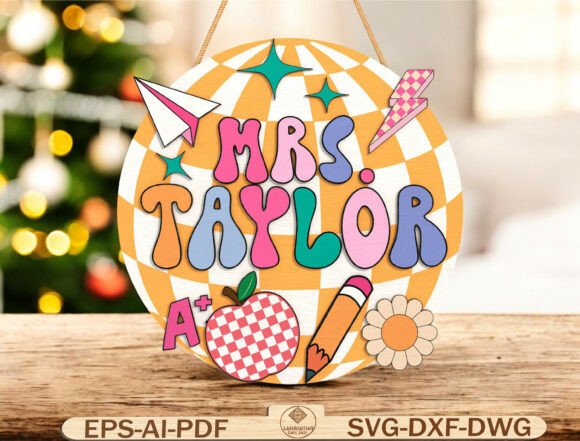
There is something undeniably special about walking into a classroom that feels warm, inviting, and distinctly personal. A Personalized Teacher Door Hanger SVG transforms a standard door into a vibrant welcome mat for students, instantly setting the tone for the year. This isn't just a decoration; it is a statement of identity crafted in a retro groovy style that captures the playful energy of education. With its bold checkered background, school icons like apples and lightning bolts, and fully customizable lettering, this digital file offers creators the perfect canvas to make a teacher's space feel truly unique.
However, while the concept of cutting a custom sign seems straightforward, the transition from a digital file to a physical masterpiece often trips up even experienced makers. Many buyers assume that downloading a vector file guarantees a perfect result, overlooking critical details regarding software compatibility, material thickness, and layer management. These oversights can lead to wasted materials, frustrated cuts, or signs that simply don't hang correctly. By understanding the nuances of this specific design, you can avoid costly errors and ensure your creation looks as polished as intended.
Navigating File Formats and Software Compatibility
One of the most common misunderstandings involves the assumption that all vector files work interchangeably across every machine. The package includes SVG, DXF, DWG, EPS, AI, and PDF formats, which is excellent for versatility, but each serves a different purpose depending on your workflow. For instance, if you are using Cricut Design Space or Silhouette Studio, the SVG is your primary file. However, if you are running a laser cutter with LightBurn or operating a CNC router, the DXF or AI files often provide superior path control.
A frequent mistake occurs when users attempt to open an EPS or AI file in software that does not support advanced vector layers without proper conversion. This can result in flattened images where individual elements like the pencil or paper plane cannot be separated for color coding. When creating a layered sign, the ability to cut wood and acrylic in distinct steps is crucial for depth. If you merge these layers prematurely, you lose the "layered beauty" promised by the design. Always verify that your software recognizes the file as a set of editable paths before sending it to the machine.
Material Selection and Thickness Considerations
The design specifications recommend a material thickness between 3–6 mm, typically using wood, MDF, plywood, or acrylic. Ignoring this recommendation can lead to structural failures. A 3mm piece of wood might be too fragile to support the weight of the hanging mechanism or the detailed cutouts of the retro lettering, causing the sign to warp or snap during the cutting process. Conversely, attempting to cut 6mm acrylic with settings designed for 3mm wood will result in incomplete cuts or excessive burning at the edges.
Furthermore, the aesthetic impact changes significantly based on material choice. Wood offers a classic, warm texture that complements the retro theme, while acrylic provides a modern, glossy finish. If you choose acrylic, ensure your laser settings account for the potential for melting rather than vaporizing, which can blur the crisp lines of the school icons. Beginners often overlook the grain direction in wood products; cutting against the grain can cause chipping around the delicate curves of the round layout. Always test a small scrap piece first to calibrate your power and speed settings.
The Importance of Customization and Layer Management
The core appeal of this product is the personalized teacher name. While the design comes with placeholders, the success of the final project depends on how well you edit the text. A common error is resizing the entire group of elements (the name plus the decorative icons) uniformly. This distorts the aspect ratio of the letters, making them look squashed or stretched, which ruins the "groovy" font style.
Instead, isolate the text element before scaling. Ensure the font size is proportional to the circle's diameter so that the name doesn't crowd the school icons or leave awkward gaps. If you are using multiple colors, remember that the clean layered design relies on precise alignment. If the red apple layer shifts even slightly relative to the black outline layer, the final cut will look misaligned and amateurish. Use the alignment tools in your software to center the text perfectly within the round boundary before exporting.
Avoiding the "Instant Download" Trap
While the convenience of an instant digital download is appealing, it requires immediate verification. Unlike a physical product where you can inspect the item upon arrival, a digital file must be checked immediately after purchase. Open the file in your native software and confirm that all paths are closed and there are no stray points. Sometimes, during the upload process, minor artifacts can occur that do not appear in the preview image but will cause the laser to burn erratically.
Additionally, check the scale of the file. Most vector files are dimensionless until placed in a workspace. Ensure your software is set to inches or millimeters correctly. A file designed for a 12-inch door hanger could accidentally be interpreted as 12 centimeters if units are mismatched, leading to a tiny, unusable sign. Taking five minutes to measure the bounding box of the design before cutting saves hours of frustration.
Maximizing the Impact of Your Classroom Decor
Once the technical hurdles are cleared, the Personalized Teacher Door Hanger SVG becomes a powerful tool for engagement. It is ideal not only for back-to-school decorations but also as a heartfelt gift for teacher appreciation. The combination of the retro aesthetic and the personalized touch creates a memorable keepsake that stands out among generic store-bought items.
When presenting the final product, consider the finishing touches. Sanding the edges of wood cuts smooths the surface and removes any laser scorch marks, enhancing the natural grain. For acrylic, polishing the edges with a flame or specialized compound can restore clarity. Don't underestimate the power of a good finish; it elevates the project from a hobbyist experiment to a professional-grade decor piece.
By paying attention to file integrity, respecting material limitations, and carefully managing customization, you ensure that the effort put into creating this sign translates into a stunning visual reward. Whether you are a seasoned entrepreneur producing gifts for sale or a parent crafting a surprise for a beloved educator, understanding these details ensures your round door hanger layout shines bright. Take the time to prepare, test, and refine, and you will create a centerpiece that welcomes students with joy and creativity every single day.